/ Jul 22, 2026
How to Apply for an Infant Iqama in Saudi Arabia
In a previous blog, we discussed the procedure of applying iqama (residence permit) for family members in Saudi Arabia. If you didn’t read the blog, the link is mentioned below. You can go through it:
Link:https://amazingksa.com/2023/03/23/the-procedure-for-applying-family-iqama-in-saudi-arabia/
- Introduction:
In any circumstances, if an infant is born in a family that has residency in Saudi Arabia on the basis of a work visa, then the infant’s iqama should be applied for, regardless of matter the infant is born in Saudi Arabia or not. The complete procedure of applying iqama for an infant is described below:
- Required documents for Iqama:
- First of all birth certificate of the Infant.
- Infant Passport.
- Fee payment for the dependent.
- Images of an Infant
- Father’s passport copy
- Mother’s passport copy
- Father iqama copy.
- Mother iqama copy
- Vaccination card of an Infant
- Marriage certificate (original copy) attested by the Ministry of Affairs.
- Valid insurance copy.
Note: All the required documents should be submitted in the form of a PDF.
- In case the infant is born outside of Saudi Arabia:
If the infant is born outside of Saudi Arabia, then the procedure is slightly different for that particular case. The following required documents are essential in this case:
- Passport page where the border number is mentioned
- Visa-stamped copies of the Passport
- Iqama fee payment of SAR 2000 for the Infant
- Certificate of polio vaccination from the hospital.
- Procedure for applying Iqama:
The steps of the procedure for applying iqama for the infant are described in detail, which are mentioned below:
- Initially, you should have an Absher account on the Absher app.
Link:https://play.google.com/store/apps/details?id=sa.gov.moi
- Then select the Services option, which is under the tab of My Services.
- Then click on the Passport
- Then select the Tawasul
- After selecting the tawasul option, a screen is opened where you have to click on New Request
- Then change the language of the page from English to Arabic.
- Then select the sector named:
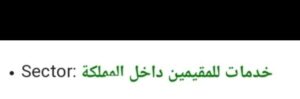
- Then select the service named Born outside the KSA.
- Now attached the required documents have been attached to your application.
- After your application is answered, you will receive a message on your cell phone.
- Then again, log in to your Absher account.
- Select the General option.
- Then click on
- Then select the Tawasul service.
- Then click on Inquire for Request
- In case your request is accepted, then you will be able to visit the Jawazat office.
- Bring the print of your Tawasul request along with the above-mentioned required documents to the Jawazat office.
- The Jawazat employee will print your iqama for the infant at the time.